Everything it does — and shows you.
A full tour of the product: how AgileArchive archives, how it protects your Microsoft 365 tenant, how it proves every deletion, and how your team keeps working — shown with real screens from the app.
Every archive job, one screen
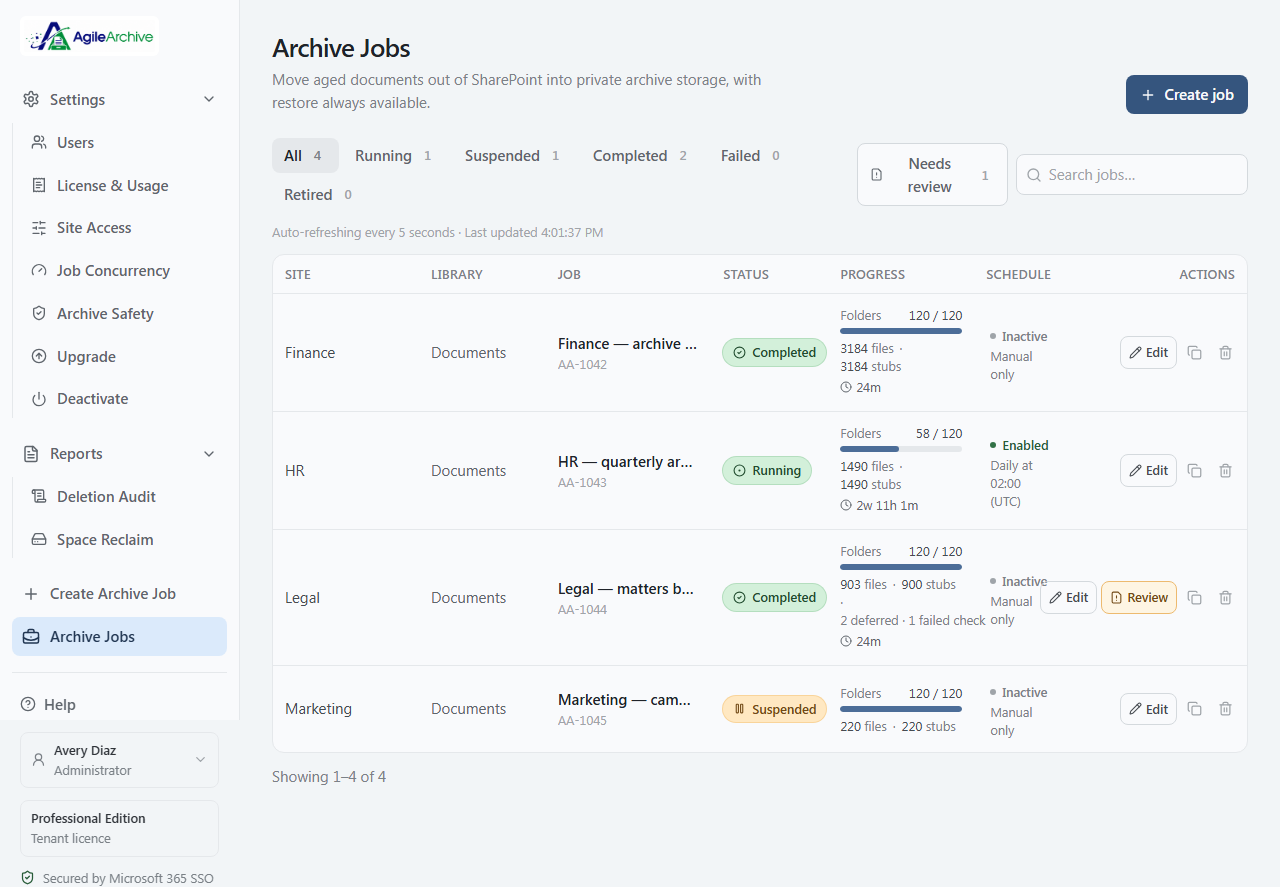
See all your jobs at a glance — running, completed, scheduled, or needing review — with live progress in files, stubs, and folders. Tab and search filtering keep large fleets manageable, and edit, duplicate, or restore is one click away.
Archive exactly what you mean to
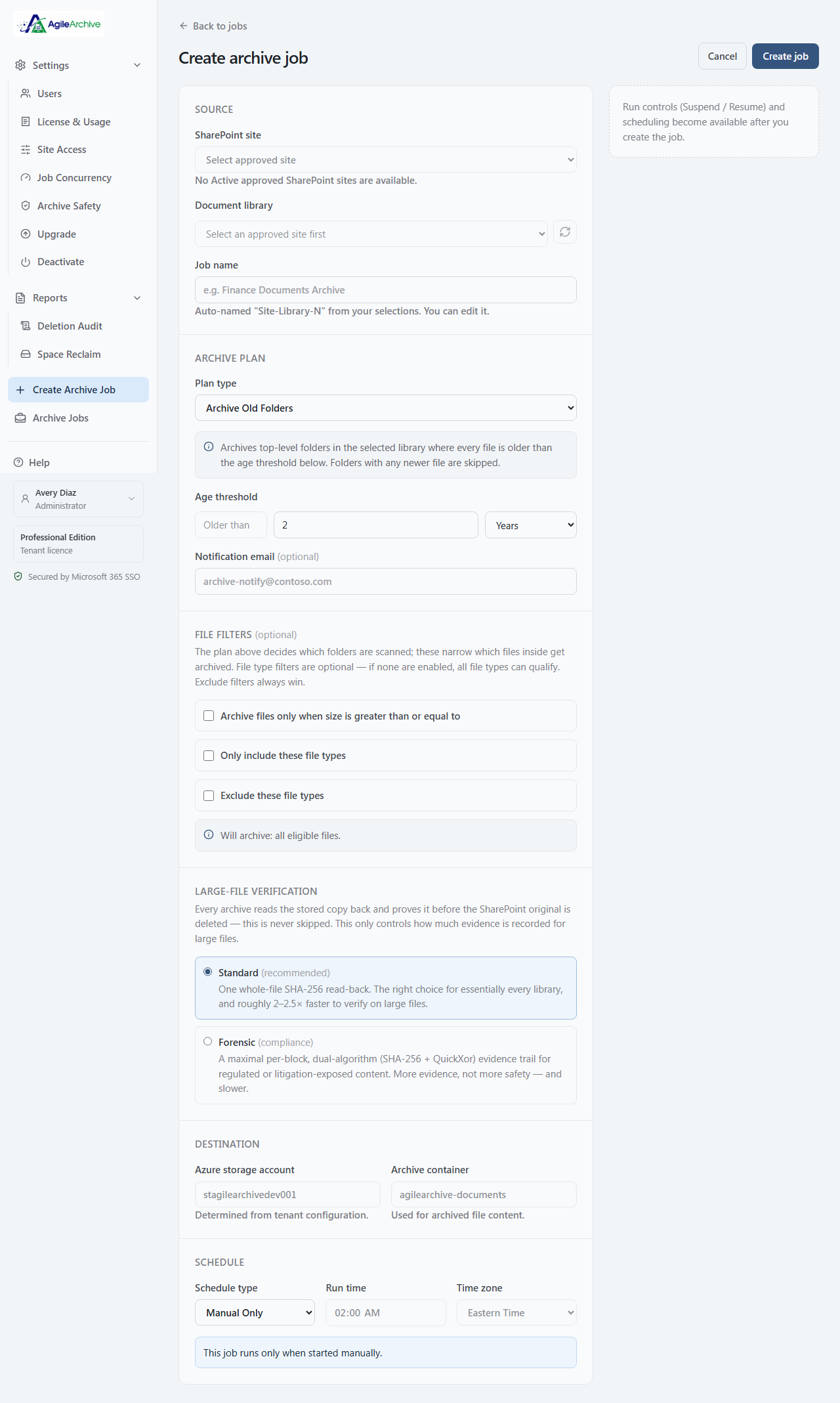
Point a job at a library and choose how it selects content — by age, folder, level, name pattern, or the whole library. Layer on file-type and size filters, pick a verification mode, then schedule it or run on demand. Preview what qualifies before anything moves.
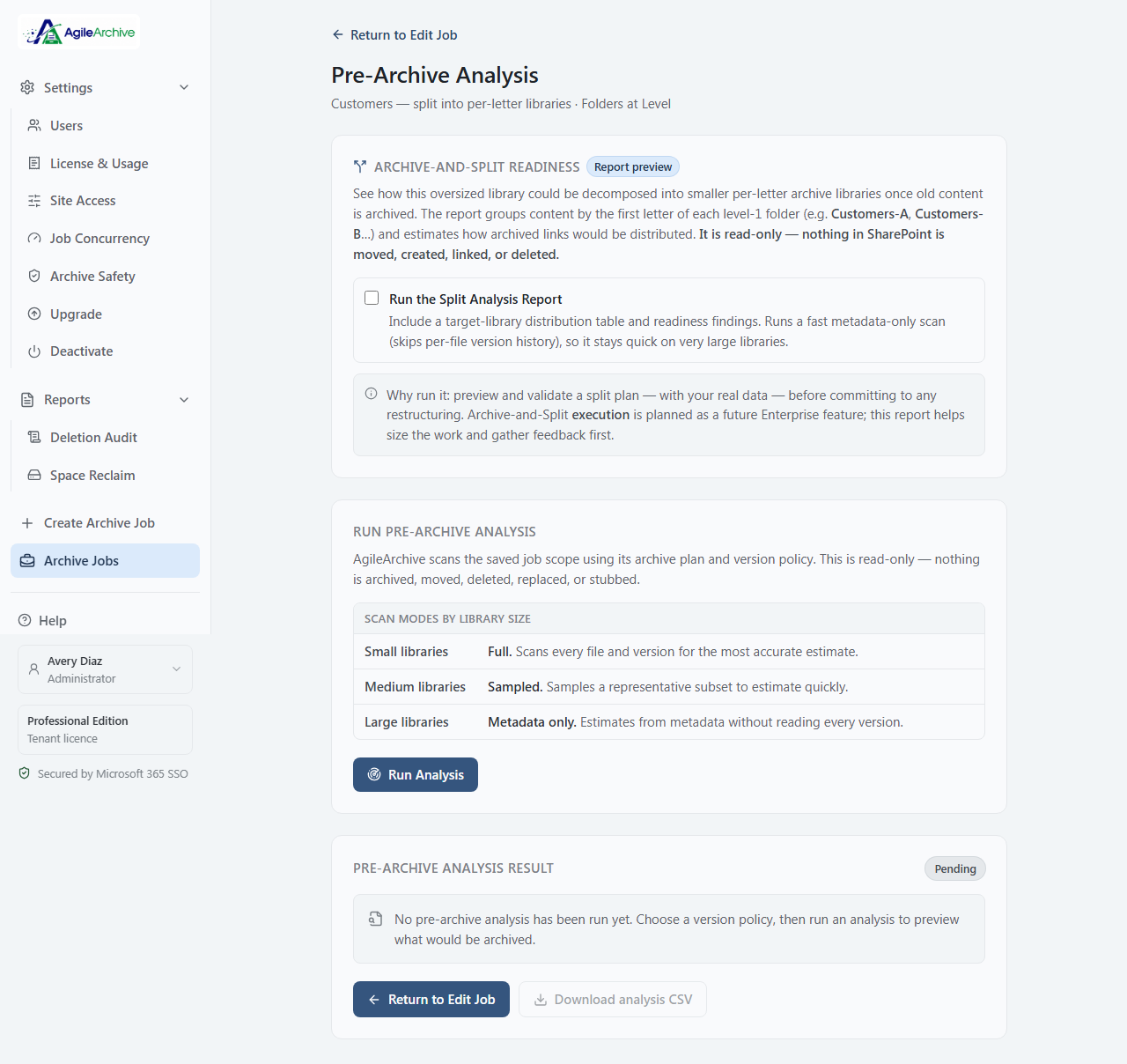
Pre-Archive Analysis
Before a single file moves, preview exactly what a job would archive. AgileArchive scans the job's scope with its plan and version policy and returns a read-only estimate — eligible files, storage size, runtime, and the recommended version policy. Nothing is archived, moved, or deleted; it's a dry run over your real data.
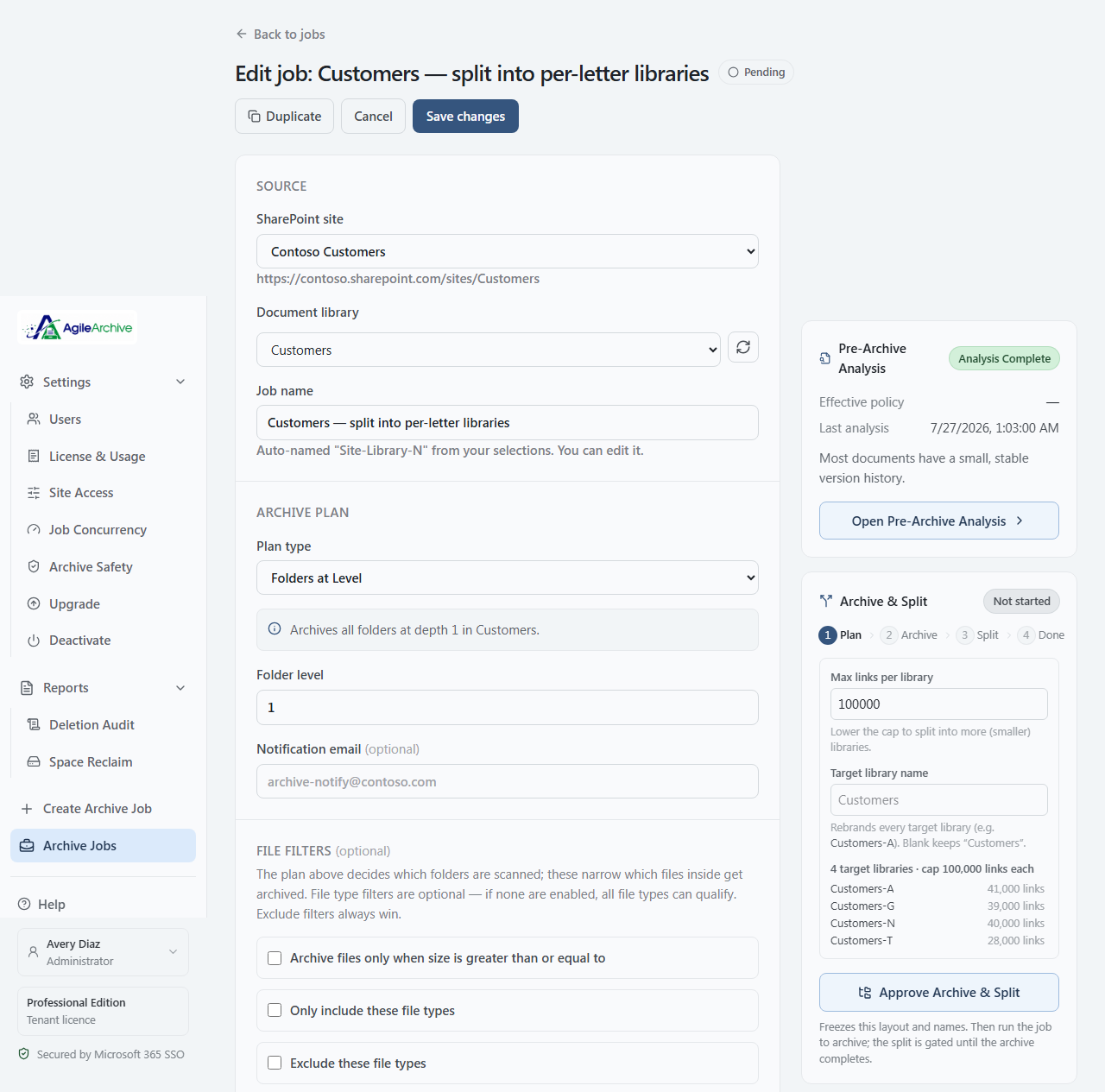
Reshape a bloated library as you archive
AgileArchive is the only tool that splits one oversized library into several smaller, balanced ones as it archives. Review the exact target libraries and how archived links will be distributed across them, name them, then approve — the split runs only after the archive completes and verifies. Nothing is restructured until you approve it.
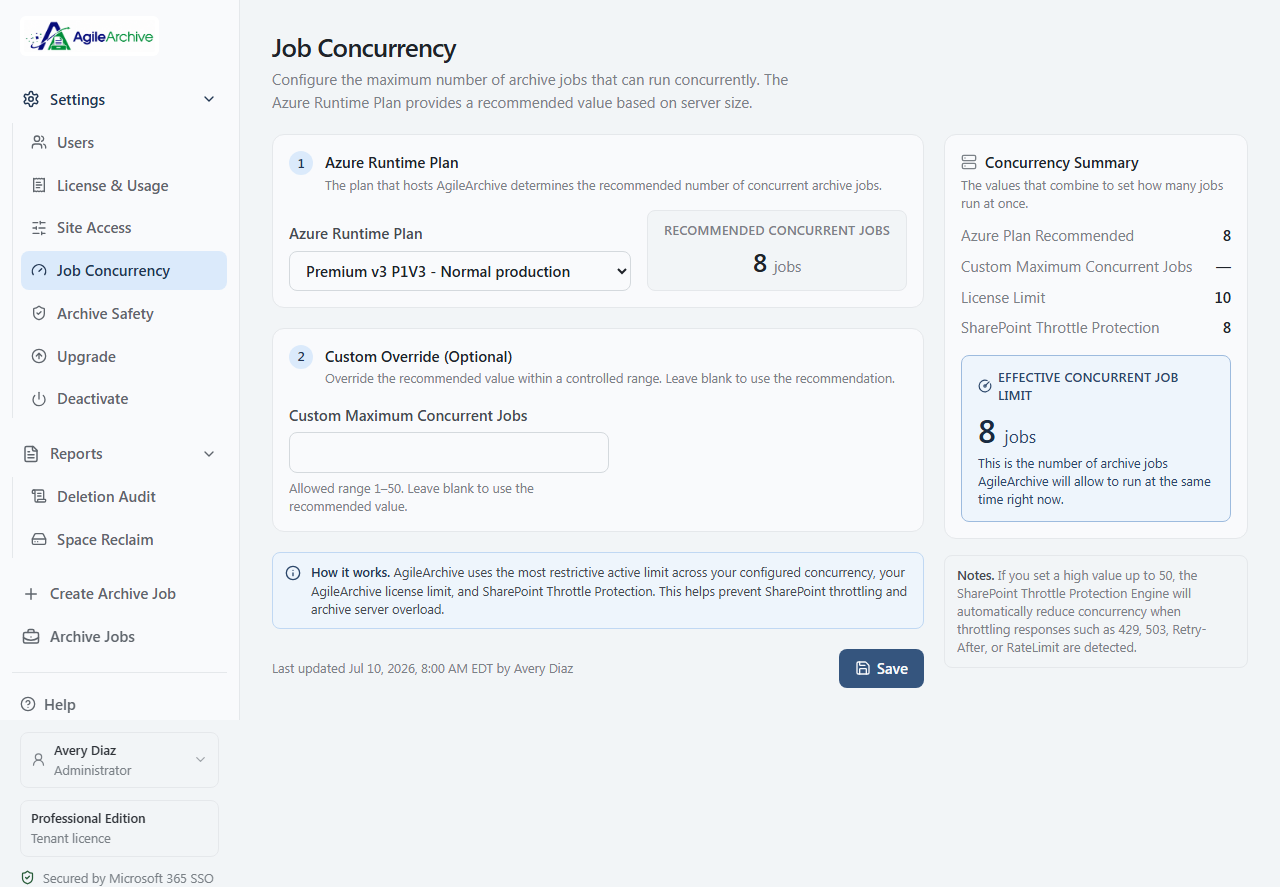
Never slow Microsoft 365
AgileArchive watches for SharePoint pushback — 429s, 503s, Retry-After — and automatically reduces concurrency, then ramps back up as pressure clears. Set a ceiling; the engine keeps you inside it, and inside your license limit.
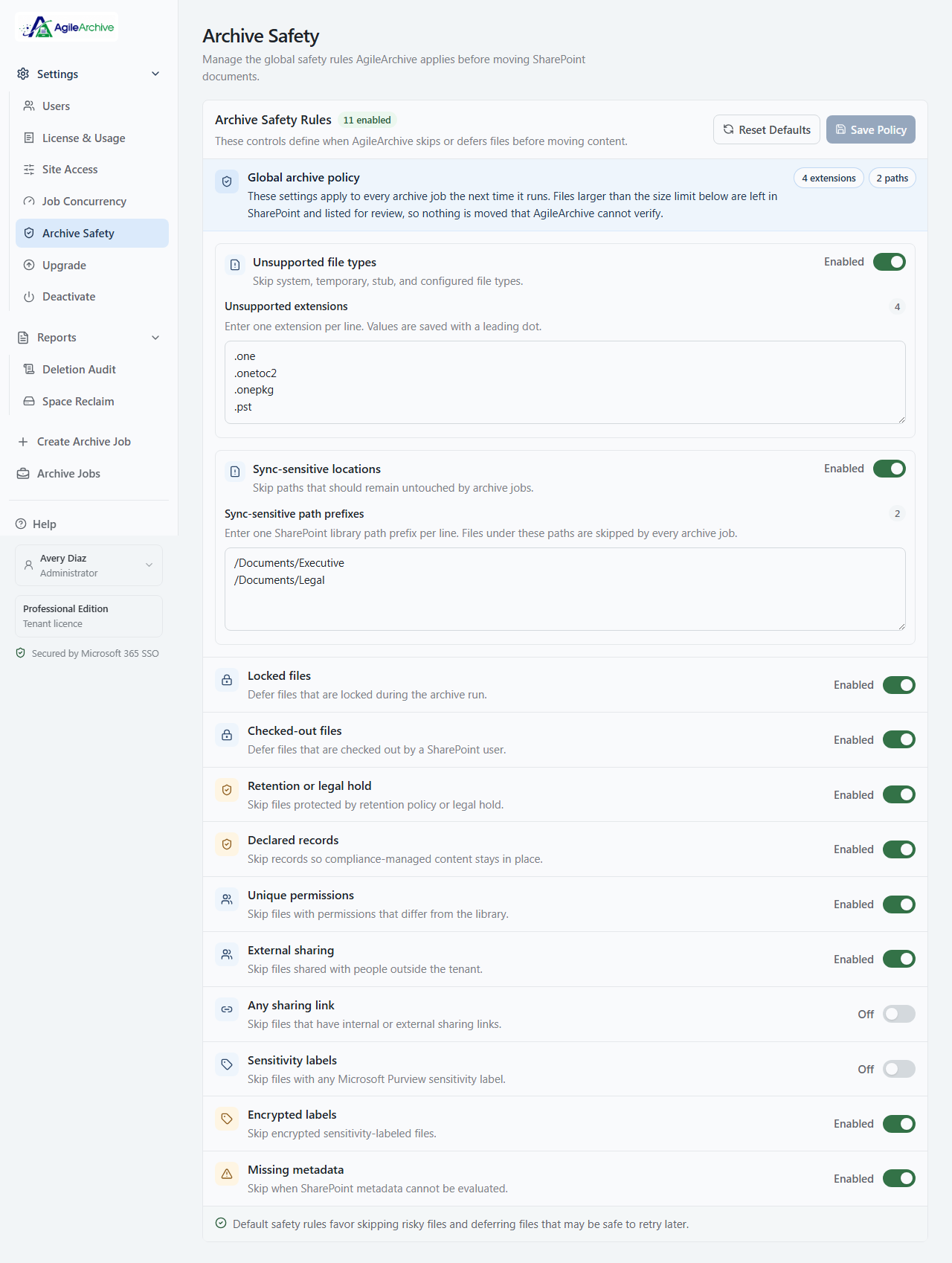
Sweep out the old — never the untouchable
Eleven built-in guardrails automatically skip or defer anything you can't move: retention, legal hold, declared records, sensitivity labels, unique permissions, locked or checked-out files, and more. Tune every rule per tenant.
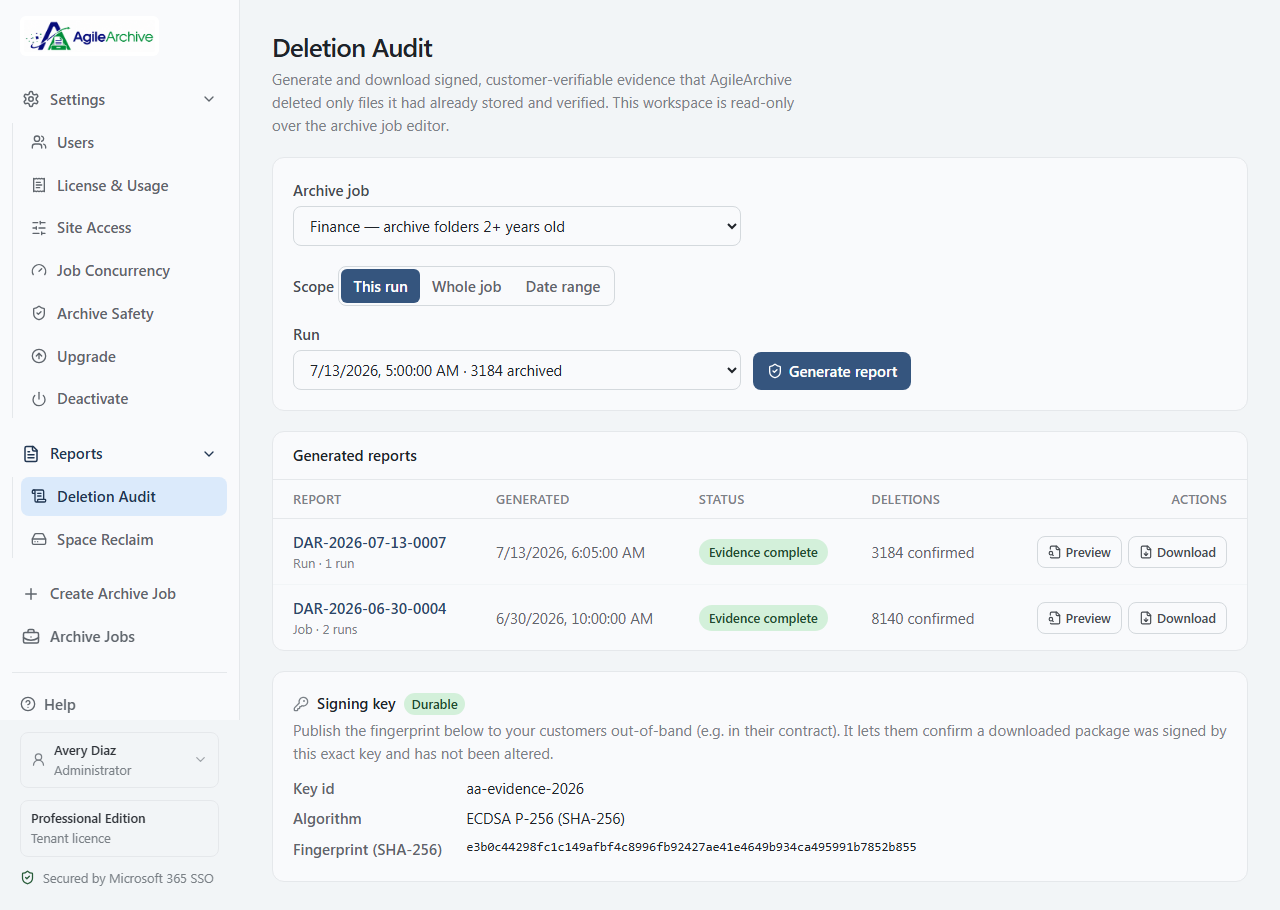
Prove nothing was lost
Generate signed, offline-verifiable evidence that AgileArchive deleted only files it had already stored and verified. Publish the key fingerprint to your auditors — they can confirm a package is authentic and unaltered without ever trusting us.
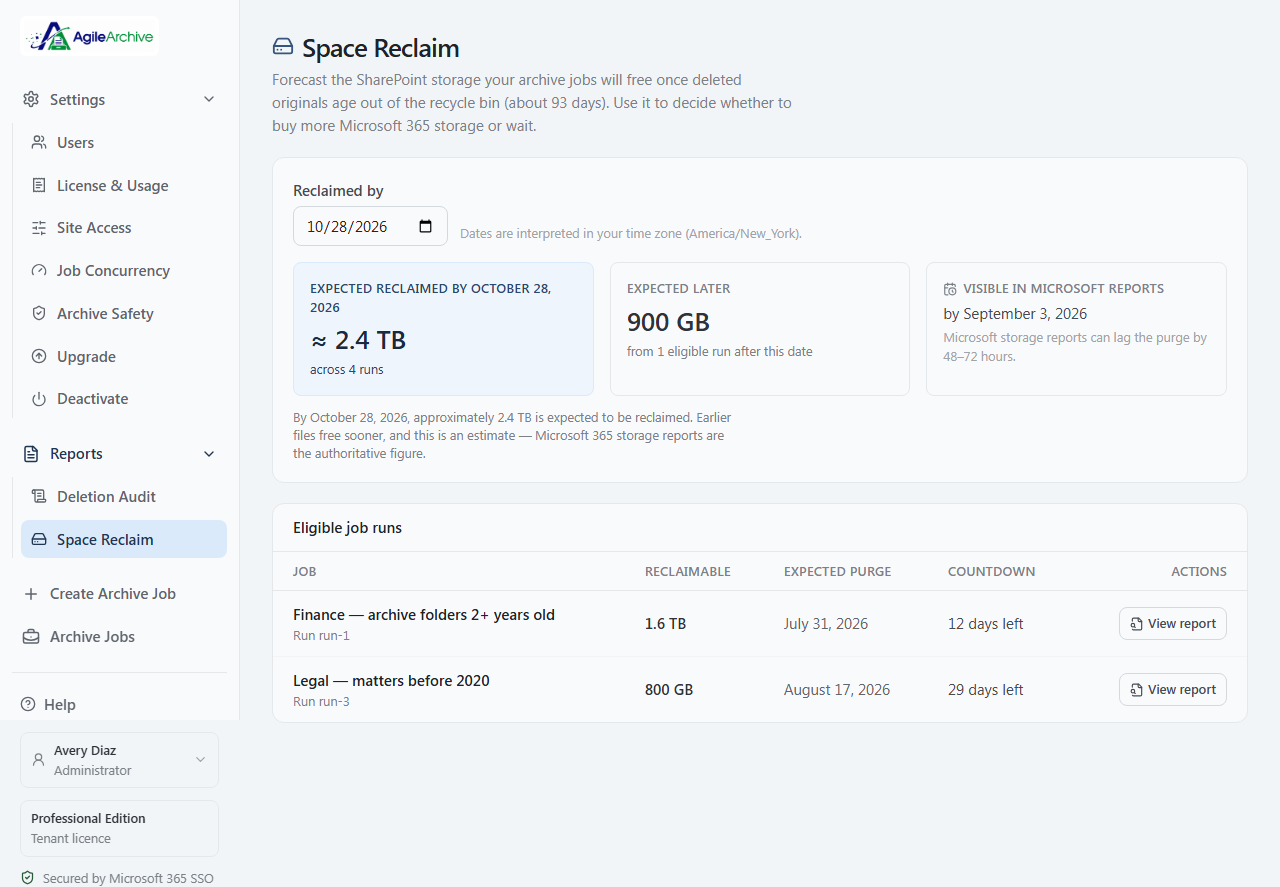
Know when the savings actually land
SharePoint storage returns only after Microsoft's ~93-day recycle-bin window. AgileArchive forecasts how much comes back and when — so you can decide whether to buy more Microsoft 365 storage or simply wait for it.
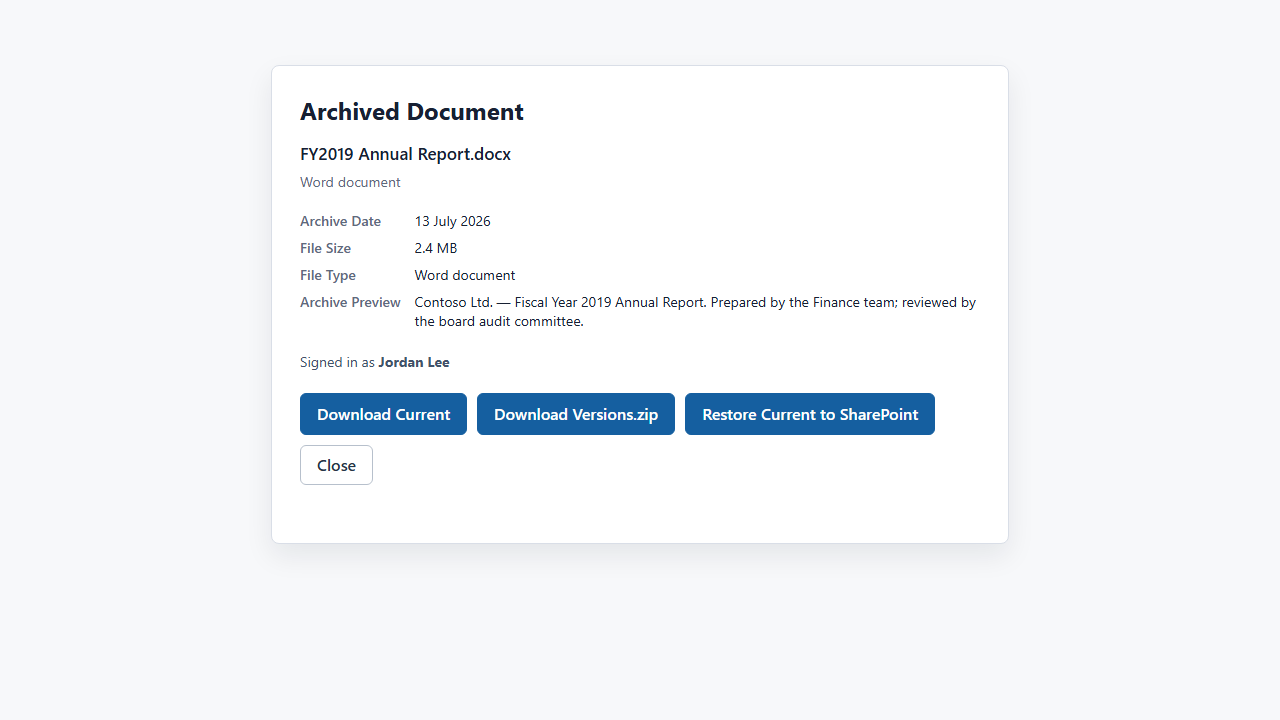
Archived, not gone
Every archived file leaves a link in place. Anyone with permission opens or restores it in one click through Microsoft 365 sign-in — original authorship and a quick preview shown, and access always gated by your existing SharePoint permissions.
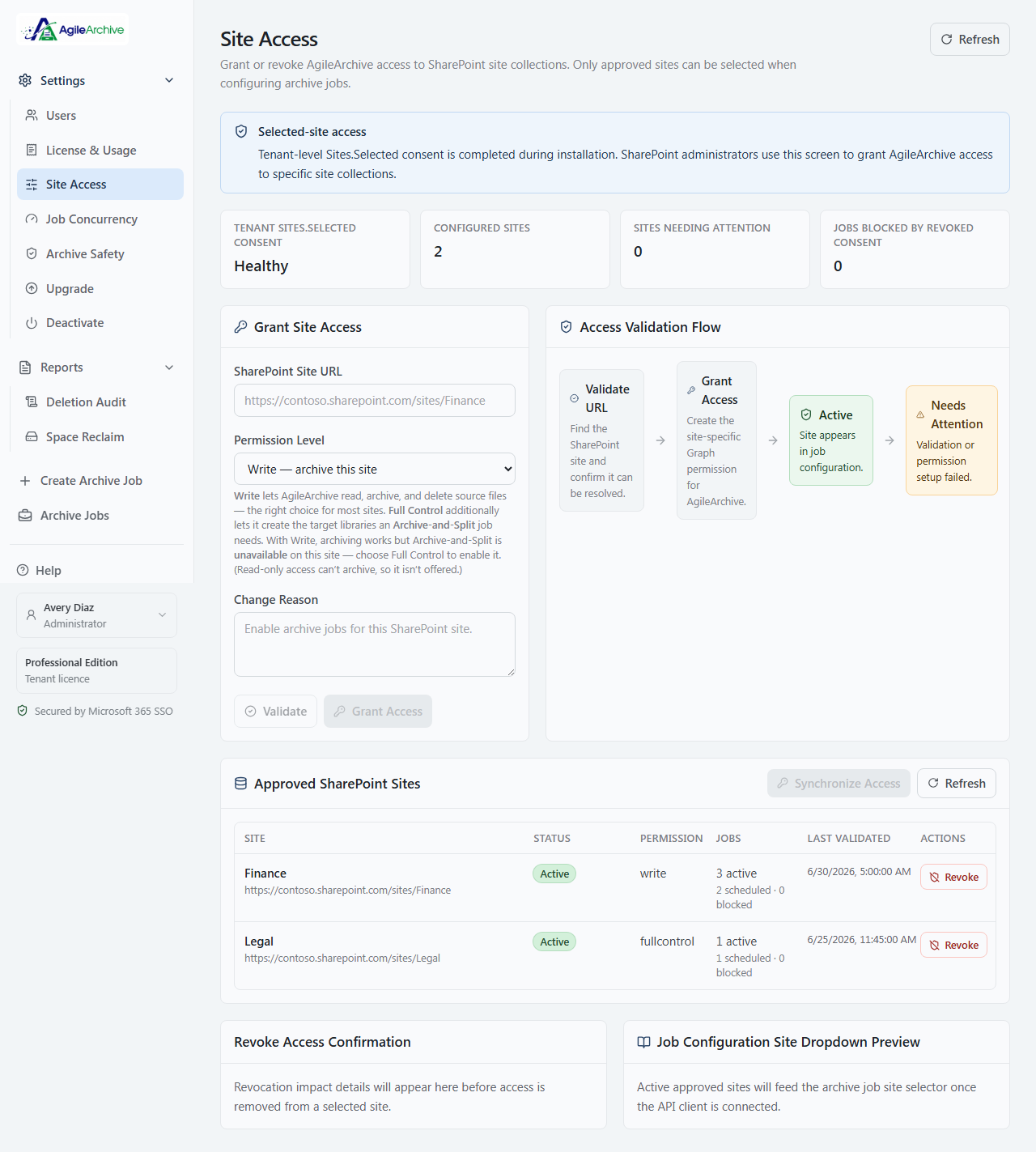
Permissions you can see and prove
Track every SharePoint site AgileArchive can touch — who granted access and when, its permission level, validation status, and how many jobs depend on it — with tenant consent health surfaced right at the top.
Always know where you stand
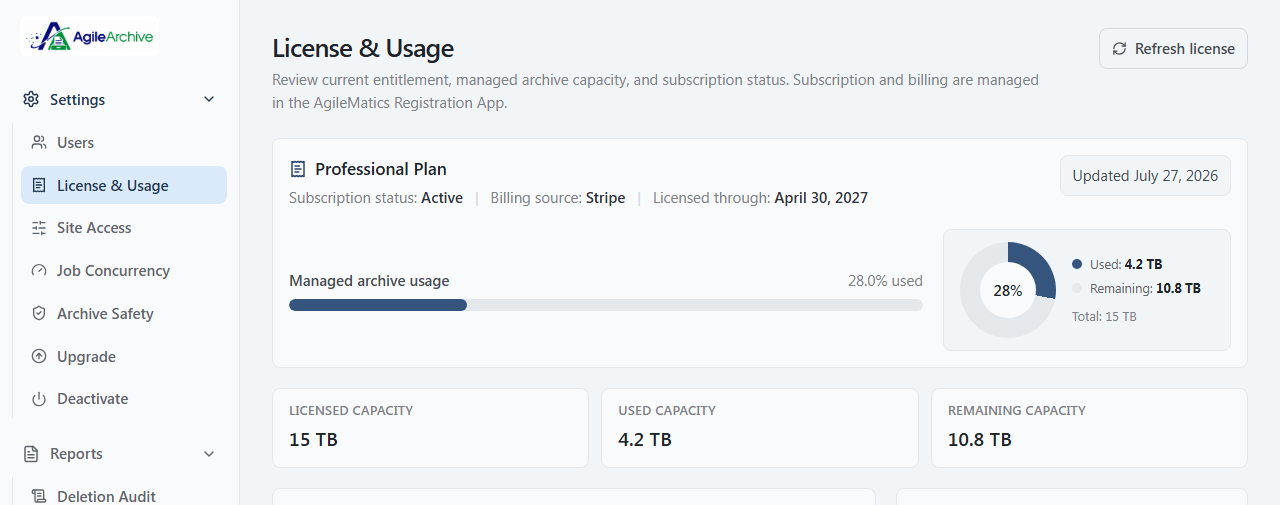
A clear view of your plan, archived capacity, and what's left — 15 TB on Professional — plus usage broken down by sites, libraries, and jobs, with one-click license refresh when your subscription changes.
No lock-in, ever
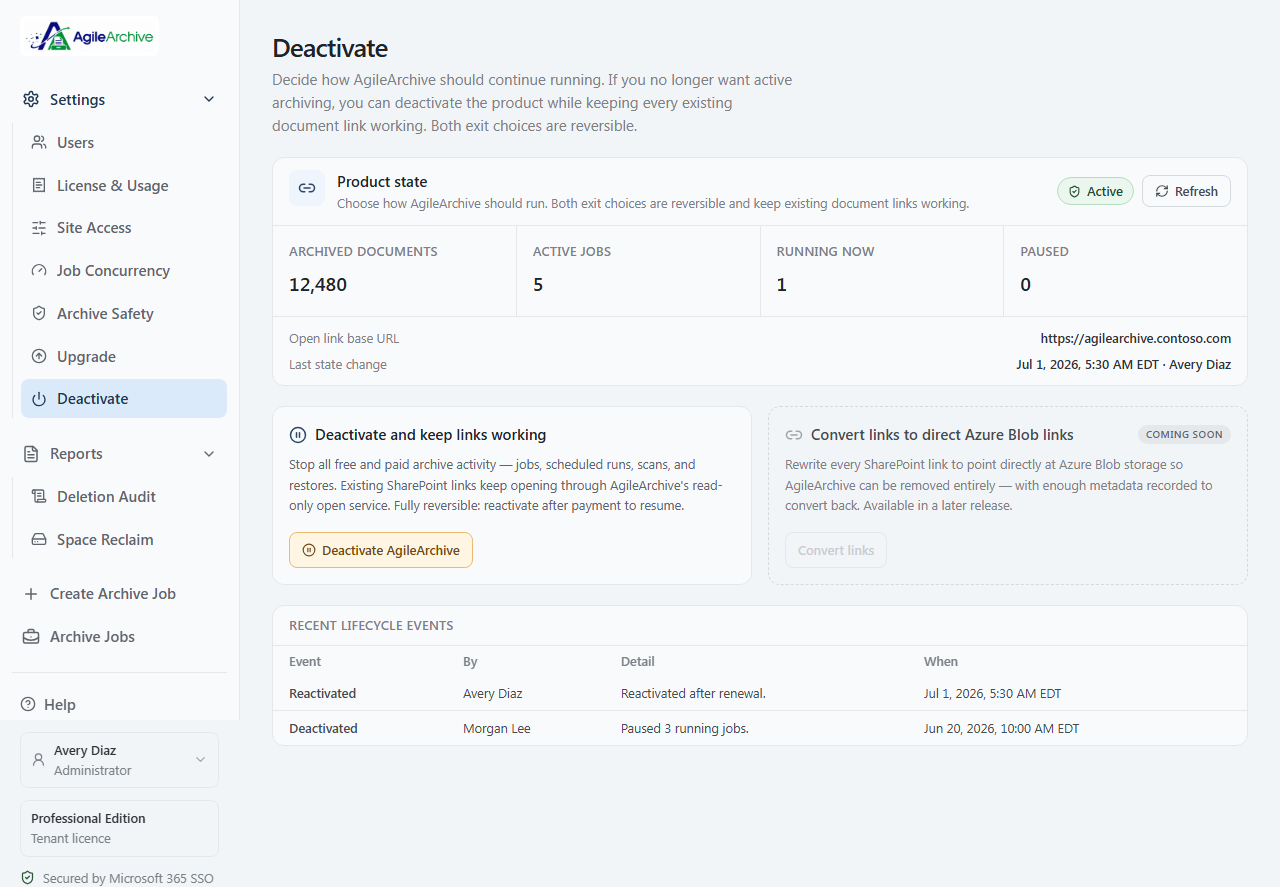
Choose how AgileArchive winds down: deactivate while keeping every existing link working, or — coming soon — convert links to direct Azure Blob URLs so AgileArchive can be removed entirely. Both reversible; nothing is ever destroyed.